





In this post Show
Editorial Disclosure
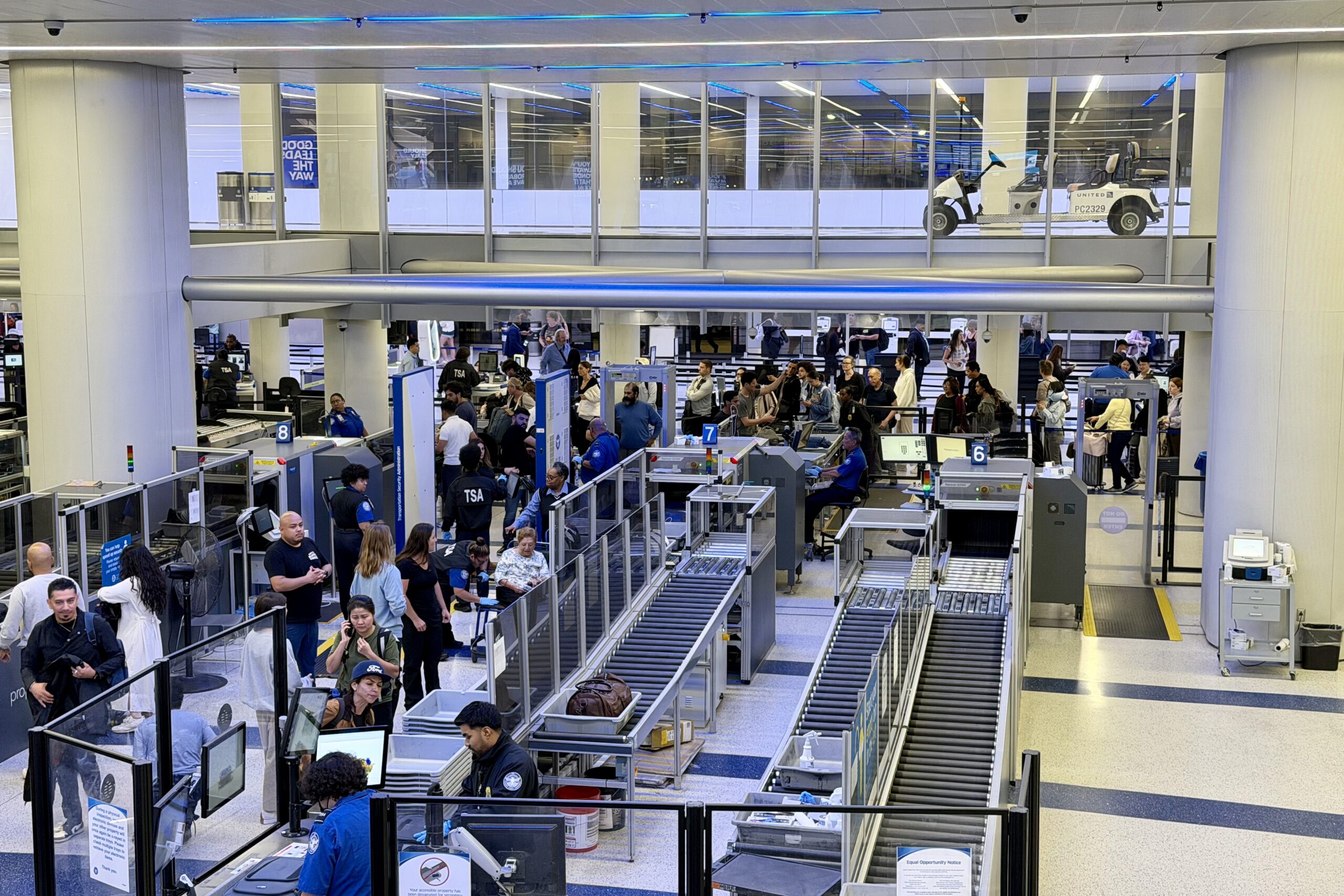
It’s no secret that TSA wait times across the country have been absolutely wild over the past few weeks.
While I’d normally share many of my usual airport security tips — and I’ve included plenty of them below — I did something a little different this time.
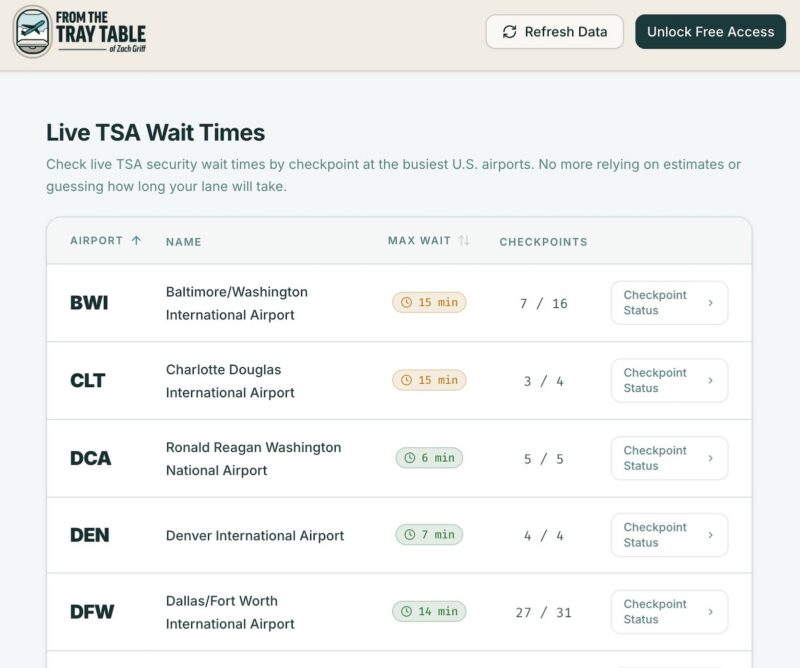
I built a live TSA wait time tracker for many of the country’s biggest airports.
It’s free to use, pulls checkpoint-by-checkpoint data where available, and should hopefully help make your next trip a little easier.
Most of the existing tools on the internet — including the TSA’s own MyTSA app — publish estimated wait times at the airport level. That’s not especially helpful because it doesn’t tell you what’s actually happening at a specific checkpoint right now.
Here’s what you need to know.
Free live TSA wait time tracker
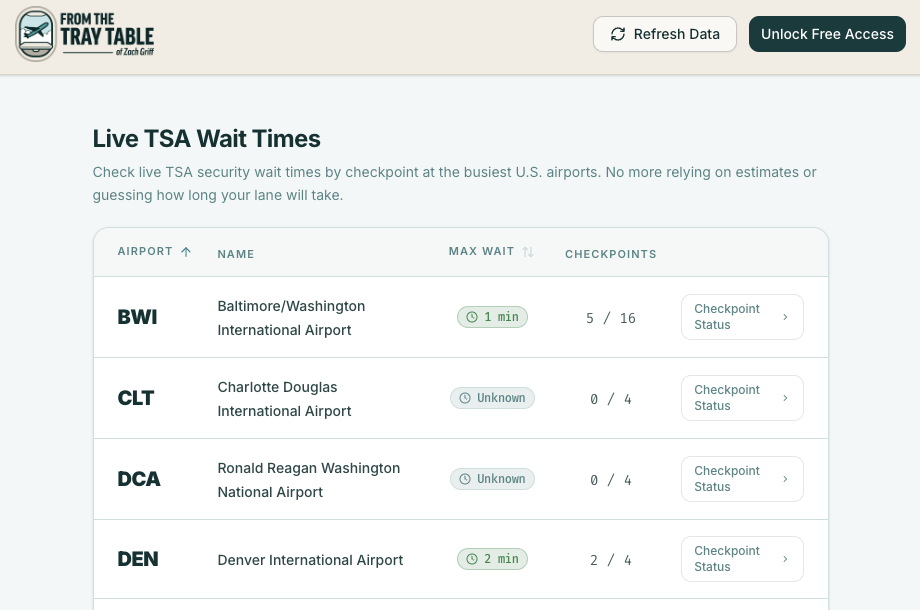
The dashboard is live at https://tsa.fromthetraytable.com/
It currently pulls data from the following 19 airports:
- Baltimore/Washington International Thurgood Marshall Airport (BWI)
- Charlotte Douglas International Airport (CLT)
- Dallas Fort Worth International Airport (DFW)
- Denver International Airport (DEN)
- Detroit Metropolitan Wayne County Airport (DTW)
- George Bush Intercontinental Airport (IAH)
- Hartsfield-Jackson Atlanta International Airport (ATL) — coming soon
- John F. Kennedy International Airport (JFK)
- LaGuardia Airport (LGA)
- Los Angeles International Airport (LAX)
- Miami International Airport (MIA)
- Minneapolis-St. Paul International Airport (MSP)
- Newark Liberty International Airport (EWR)
- Orlando International Airport (MCO)
- Philadelphia International Airport (PHL)
- Phoenix Sky Harbor International Airport (PHX)
- Ronald Reagan Washington National Airport (DCA)
- Salt Lake City International Airport (SLC)
- William P. Hobby Airport (HOU)
On the home page, you’ll find each airport along with the longest reported wait time at the airport.
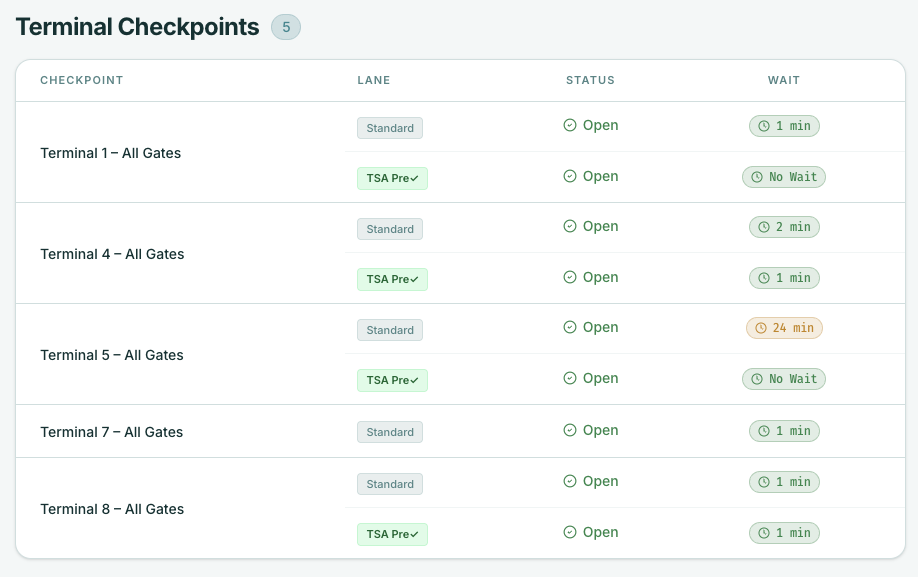
If you click into an individual airport, you’ll see a checkpoint-by-checkpoint breakdown of wait times, wherever available.
One important disclaimer: All data is pulled directly from each airport. I’m not responsible for the accuracy of the information, and you may sometimes see an airport listed as “unknown” or “not available.”
That’s not an issue with the tracker itself — it simply reflects the status of the airport’s underlying data feed.
Access to the dashboard is free.

Subscribe to the newsletter
Get the front-row look at the evolving world of travel, loyalty, tech and lifestyle — delivered directly to your inbox.
If you want to become a smarter, savvier traveler, you’ll notice there’s also an option to enter your email address. If you do, you’ll be subscribed to my free travel newsletter, which I send three times a week.
When I posted about the tool on Instagram, I got a ton of questions. I’ve rounded up the most common ones below in a quick FAQ. If you still have questions or feedback, I’m all ears. This is the first time I’ve built a tool like this, so don’t hesitate to reach out. My email is contact@zachgriff.com
And most importantly, please share the tool with your friends and family. This should be something every traveler has access to.
Frequently asked questions
What’s the source of your data?
I’m pulling the feeds directly from each airport. I’m only including airports that publish live security wait time data because I want this to reflect the closest approximation of what the screening experience actually looks like right now.
Can you add Chicago, Seattle, San Diego, and Fort Lauderdale?
Those are the four most-requested airports, but unfortunately, none currently publish live security wait data. There’s talk of Boston adding support soon, and if that happens, I’ll add it to the dashboard. If you spot an airport that publishes live wait time data and isn’t included, please reach out.
How did you build it?
With the help of AI, of course.
I don’t use AI in my writing, but I have been experimenting with other ways it can streamline my workflow. This felt like the perfect project to test.
How to beat the TSA lines
Of course, the wait time tracker can only help so much. I can’t stress this enough: Make sure you have TSA PreCheck and opt in to Touchless ID with every airline you fly.
Touchless ID remains one of the fastest and most reliable ways to skip the lines. It’s free to use, and all you need to do is add your Trusted Traveler number and passport information to your frequent flyer profile.
The key is to do this with every airline you fly.
Another helpful tip: enroll in Clear. In my recent travels, it has been hit-or-miss in terms of saving more time than Touchless ID, but with lines this bad, it can still be worth considering as an insurance policy.
And finally, pack your patience. It’s rough out there for everyone, including TSA officers, many of whom are missing paychecks.
Subscribe to the newsletter
Get the front-row look at the evolving world of travel, loyalty, tech and lifestyle — delivered directly to your inbox.




Comments Disclosure
Responses are not provided by or commissioned by any bank advertisers. Responses have not been reviewed , approved, or endorsed by any bank advertisers. It is not the responsibility of the bank advertiser to respond to comments.